> sidenote · macos
Notes that live in your screen's margin.
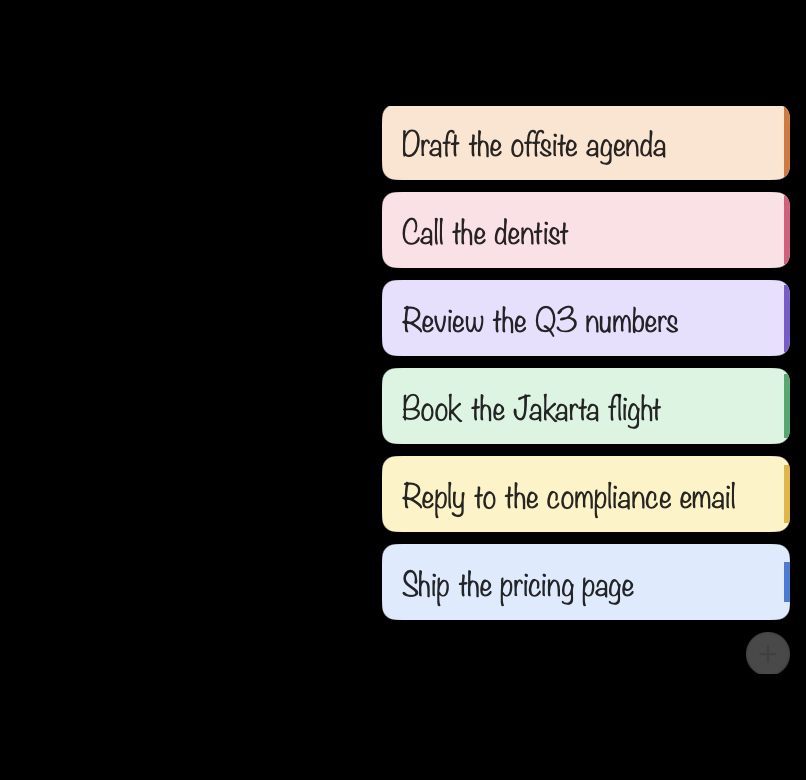
They rest as coloured tabs on the right edge, fan out when your cursor dwells there, and open as cards you can drag anywhere. Six at a time, on purpose.
Local only. No account, no network calls, nothing to grant.
Six
The deck holds six, after the Ivy Lee method: the six things that matter today, worked from the top.
The limit is the point, not a storage decision. A list that holds everything is a backlog, and a backlog is something you look at rather than something you do.
It is enforced. With six on the deck the + goes quiet and a seventh note says why. Finish one or archive one and there is room. If there are always more than six, either use a project management tool or fix your priority.
Writing
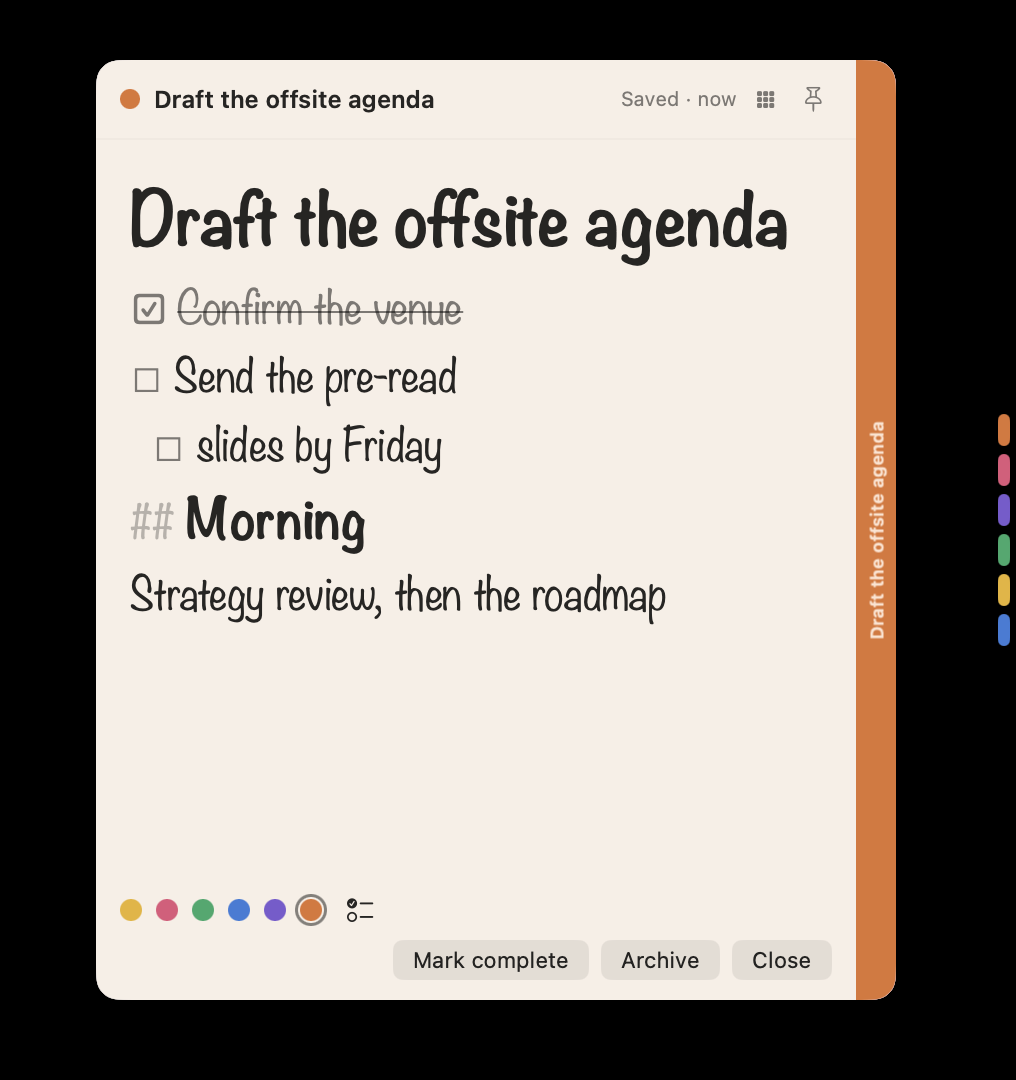
Plain markdown, styled as you type. Type [] and a space for a checklist, - for a bullet, # for a heading. Tab nests. The first line is the title, so you never type a # for it.
Nothing is substituted in the stored text, so the command line and an agent see exactly what you typed.
The rest
- cards Drag them anywhere. Pin one and it stays on the desktop and returns at launch.
- two exits Complete is something you achieved. Archive is something you are holding. Both come back.
- keyboard New note, deck, all notes and settings all have a shortcut. Arrow through the deck, Return to open.
- command line An sn tool ships inside the app, off until you turn it on.
- permissions None. No Accessibility grant, no network access, no analytics.
Price
Three days free, then $9.99 once. No subscription, and no second charge later.